Your photos stay on your phone
Photos, GPS, and metadata are not uploaded to our servers.


AI-powered travel memory
PinPassport analyzes date, location, and visual signals on your iPhone to organize your countries, cities, routes, food memories, and sightseeing moments automatically. Share and compare with friends if you want, or keep everything private. Your photos never leave your phone.
Personal
Photos, GPS, and metadata are not uploaded to our servers.
Routes, food, and sightseeing memories are created through local analysis.
AI memos can be edited by the user before sharing.
Computed stats such as country, city, and trip counts are synced.
How it works
You decide who can see what. The app analyzes date, location, and visual signals without uploading your photos, then turns the results into trips, routes, memory clusters, and safe summaries you can share socially if you want.
PinPassport accesses your photo library only for on-device analysis.
Date and location data create countries, cities, days, and routes.
Vision analysis runs on device and suggests food and sightseeing clusters.
When enough reviewed places and ratings exist, AI writes an editable travel summary.
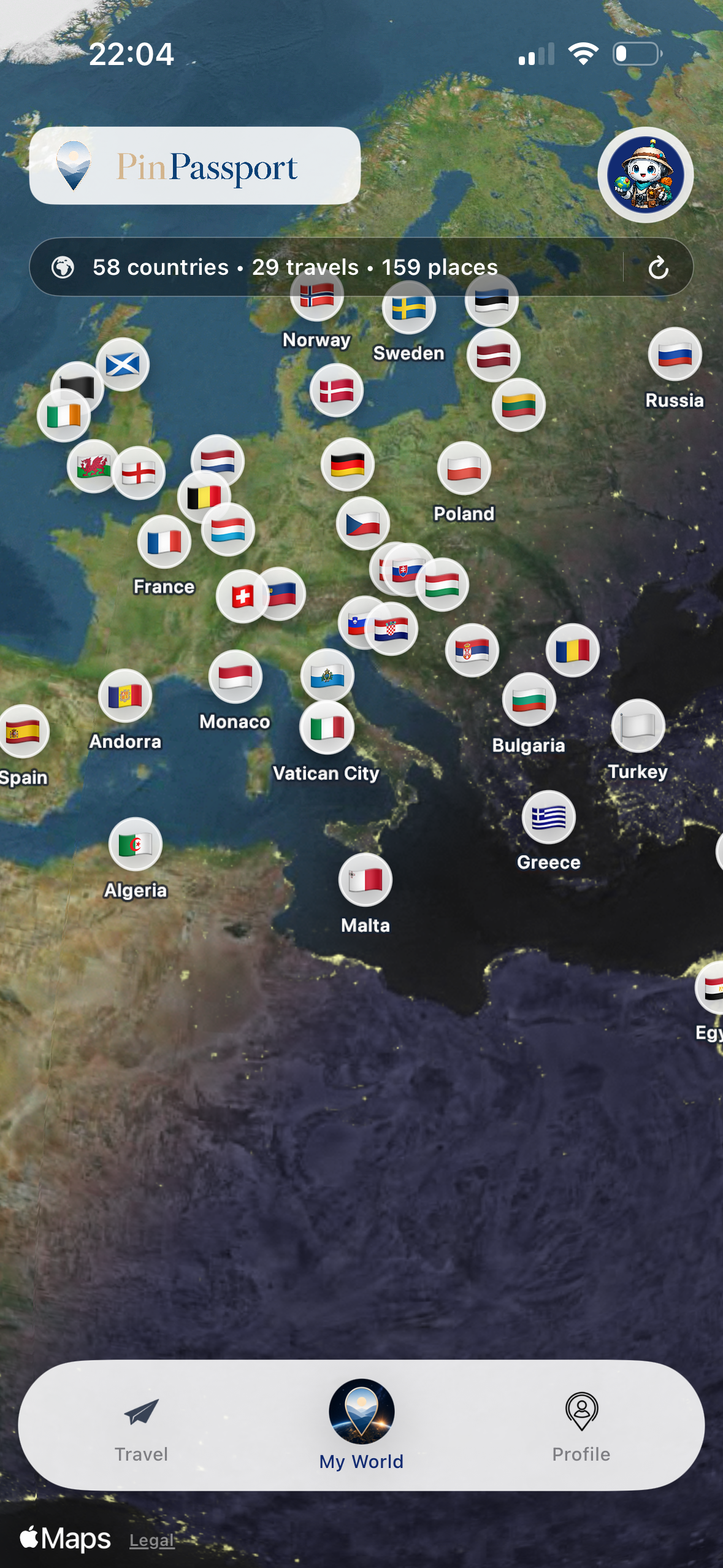
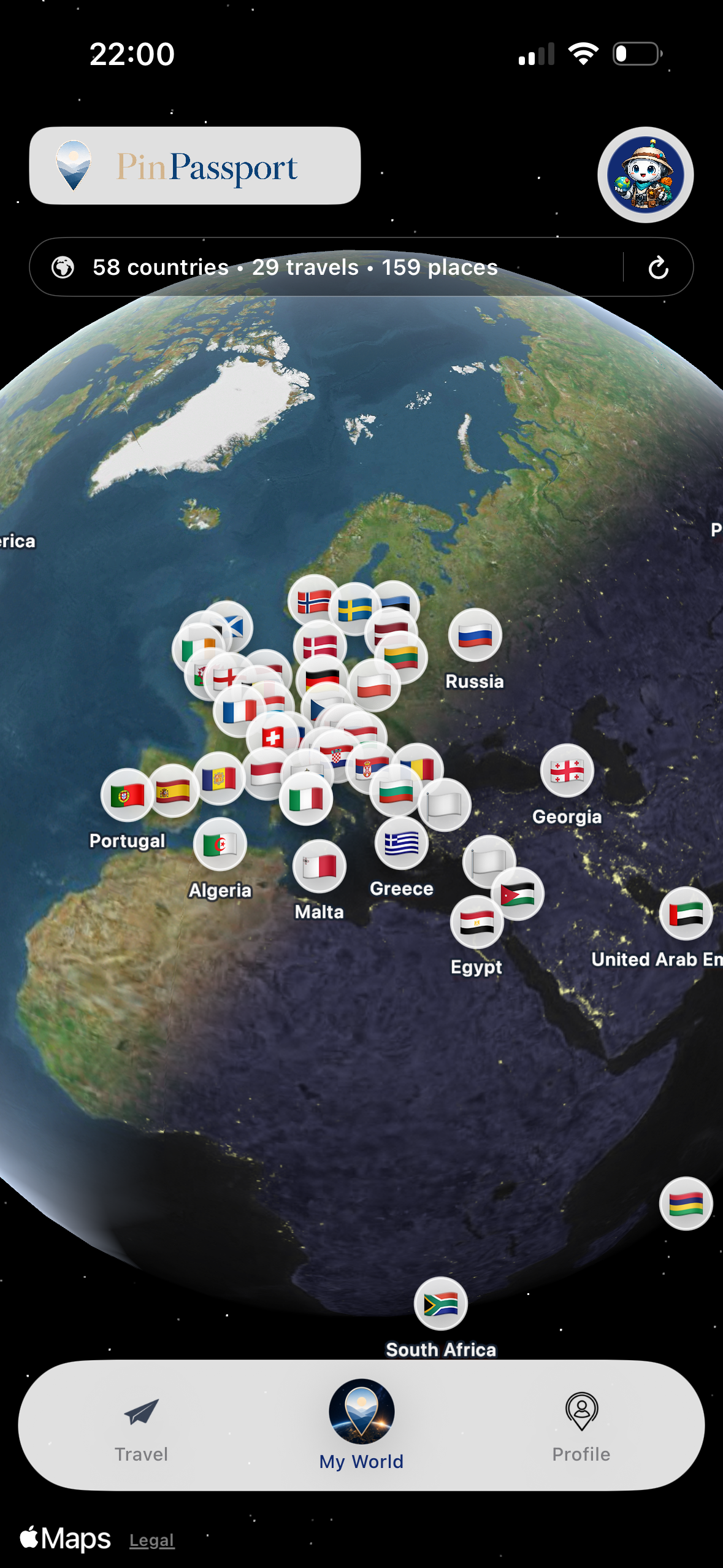
My World
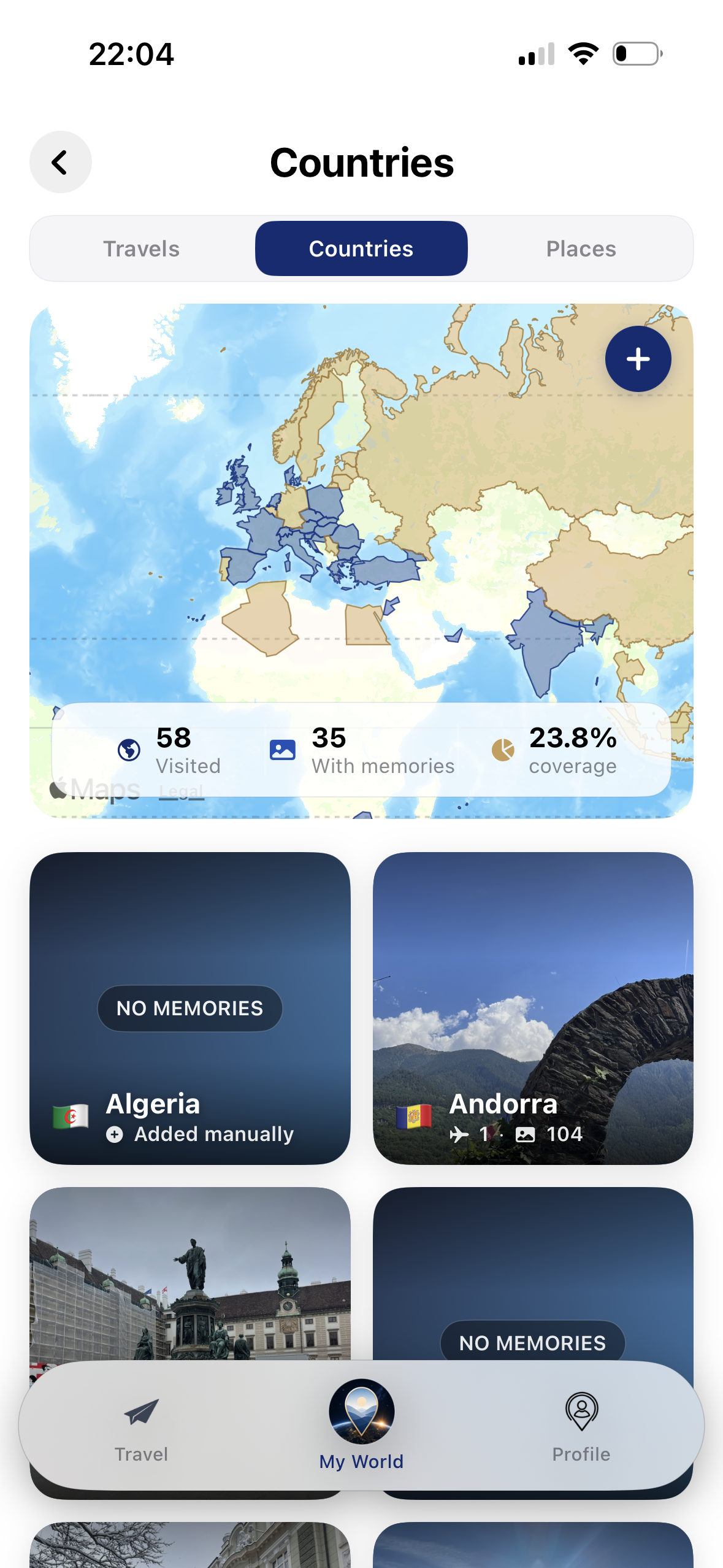
PinPassport reads travel traces from your photo library automatically and organizes your countries, cities, and routes on a map. The My World screen turns your past journeys into a living travel passport.
Full Route
Full Route shows trip days and stops on the map in sequence. You can see where the journey started, which cities you visited, and how the route unfolded at a glance.
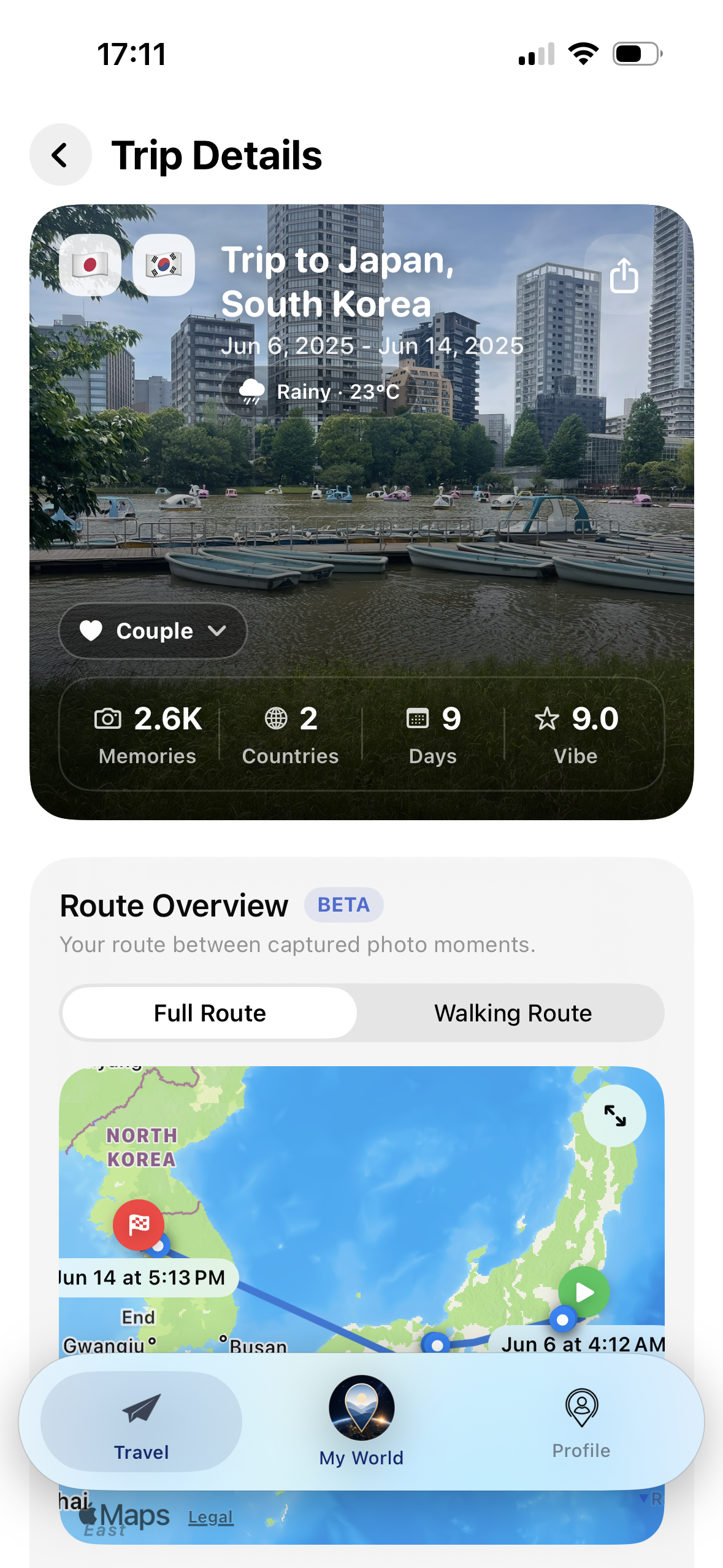
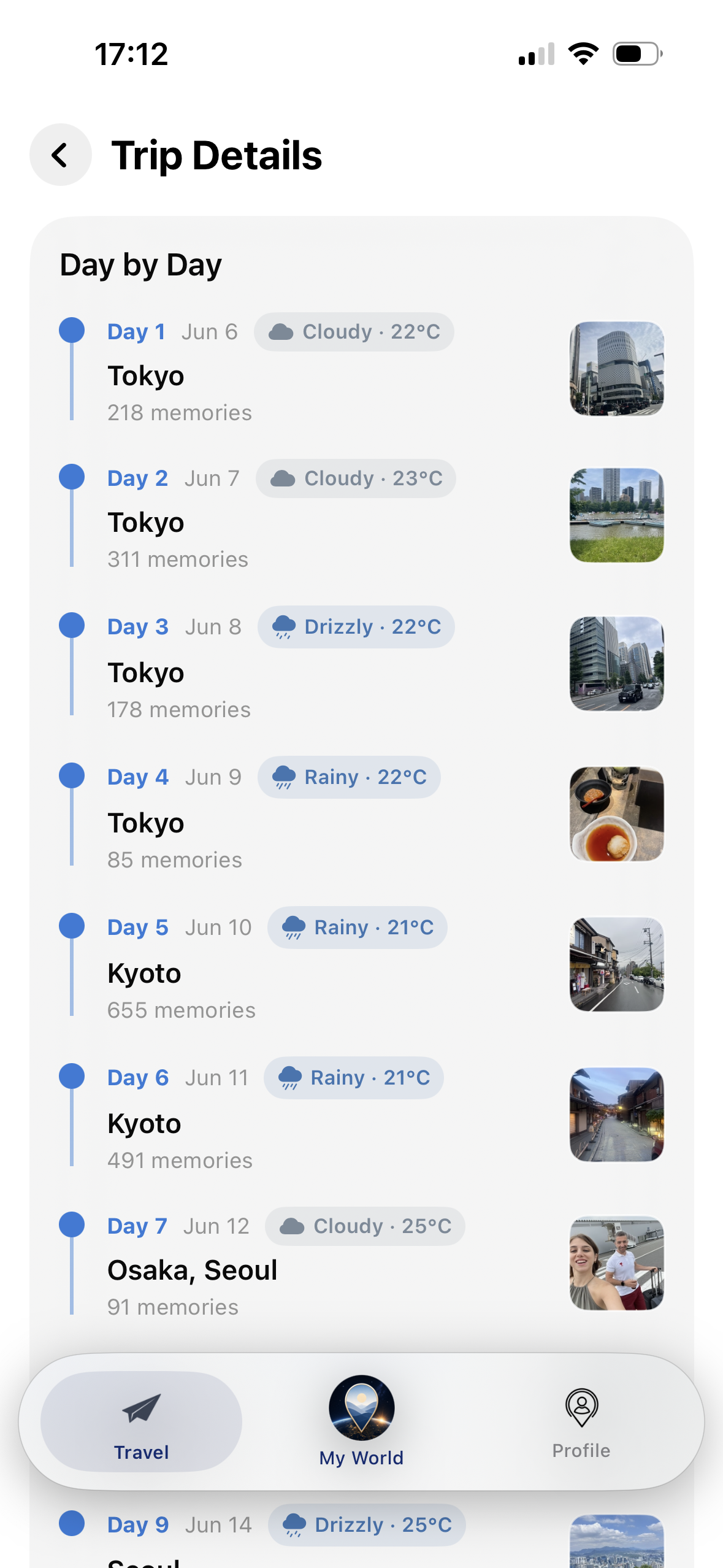
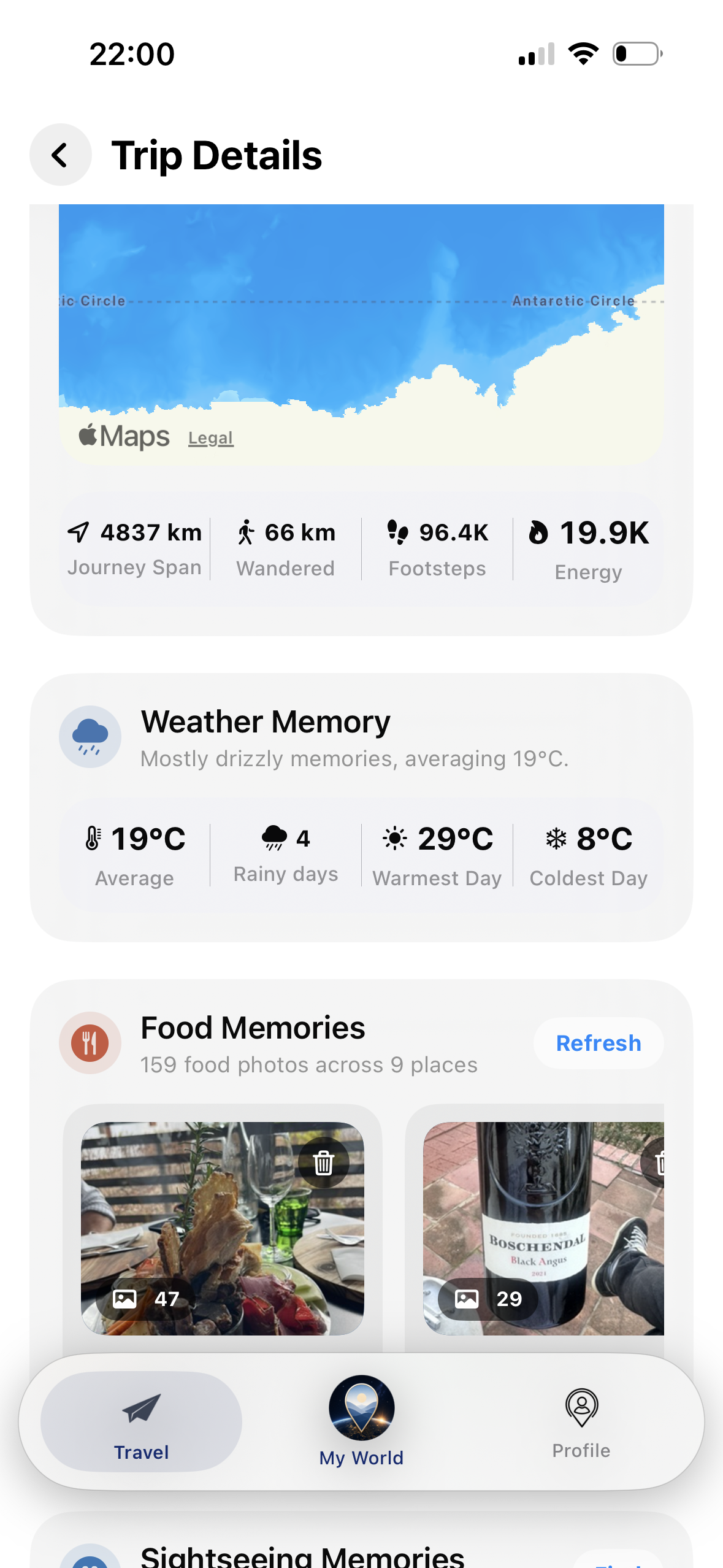
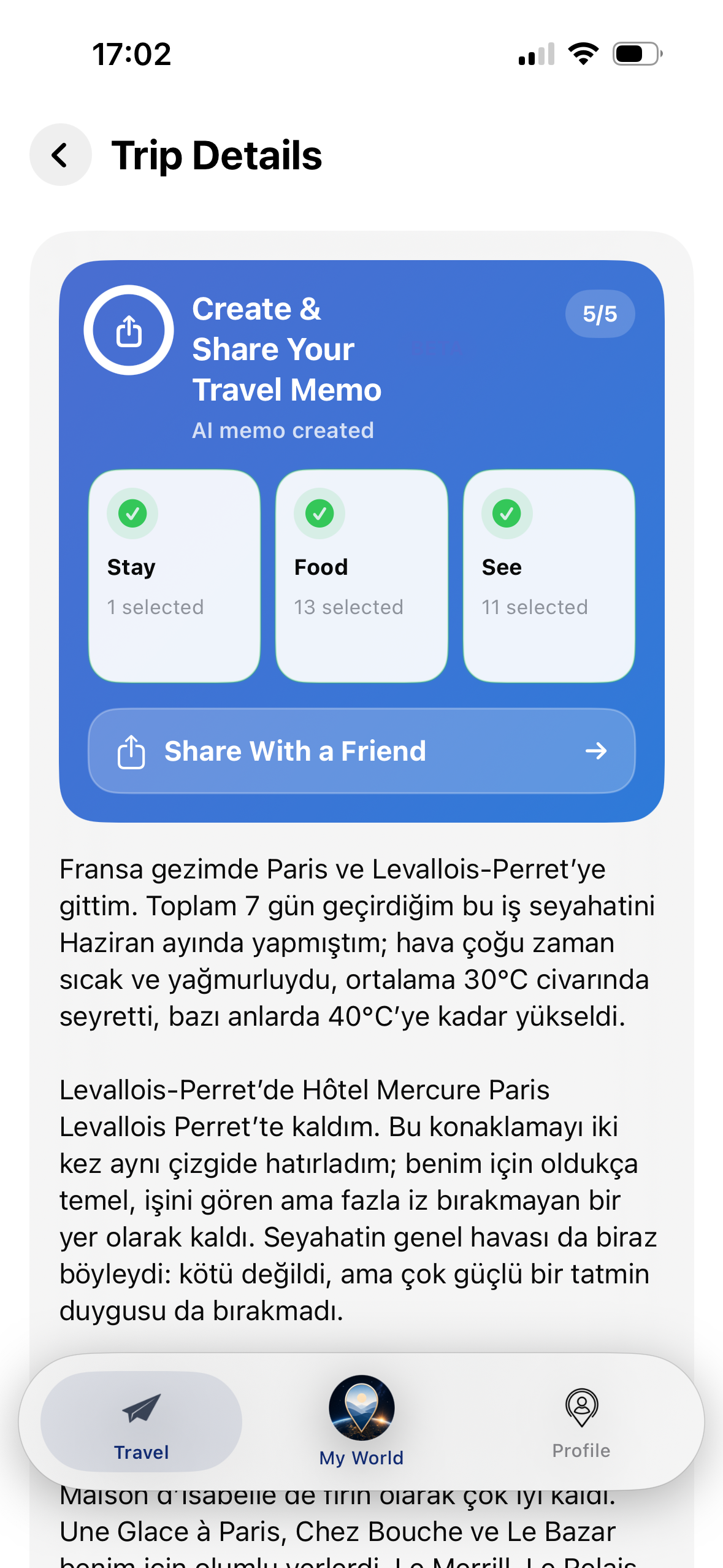
Trip Details
PinPassport organizes each journey with dates, duration, cities, countries, route, and memory layers.
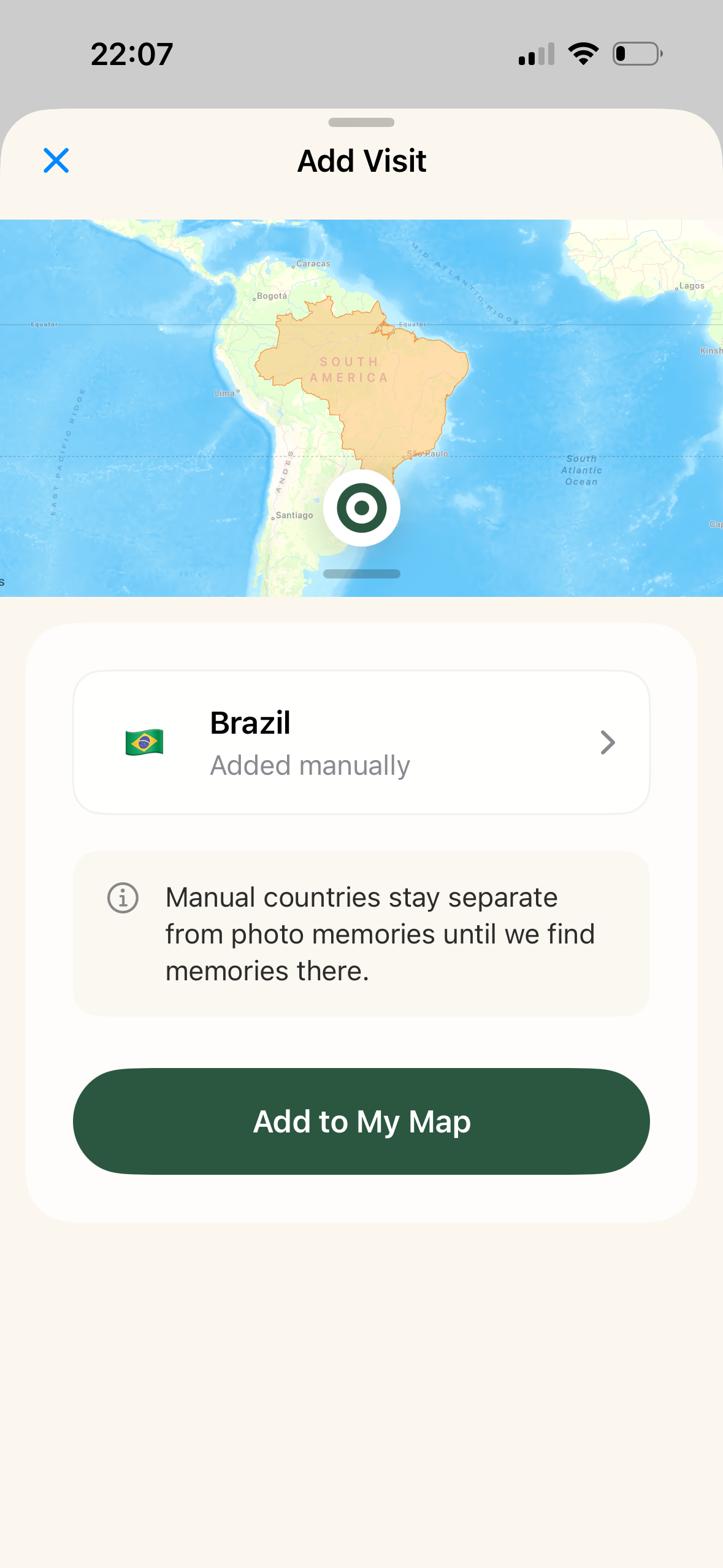
Manual Add
PinPassport starts with automatic discovery, but the user stays in control. Missing countries, cities, special places, or trip records can be added manually, dates can be corrected, and the travel map can be completed by hand.

AI Memories
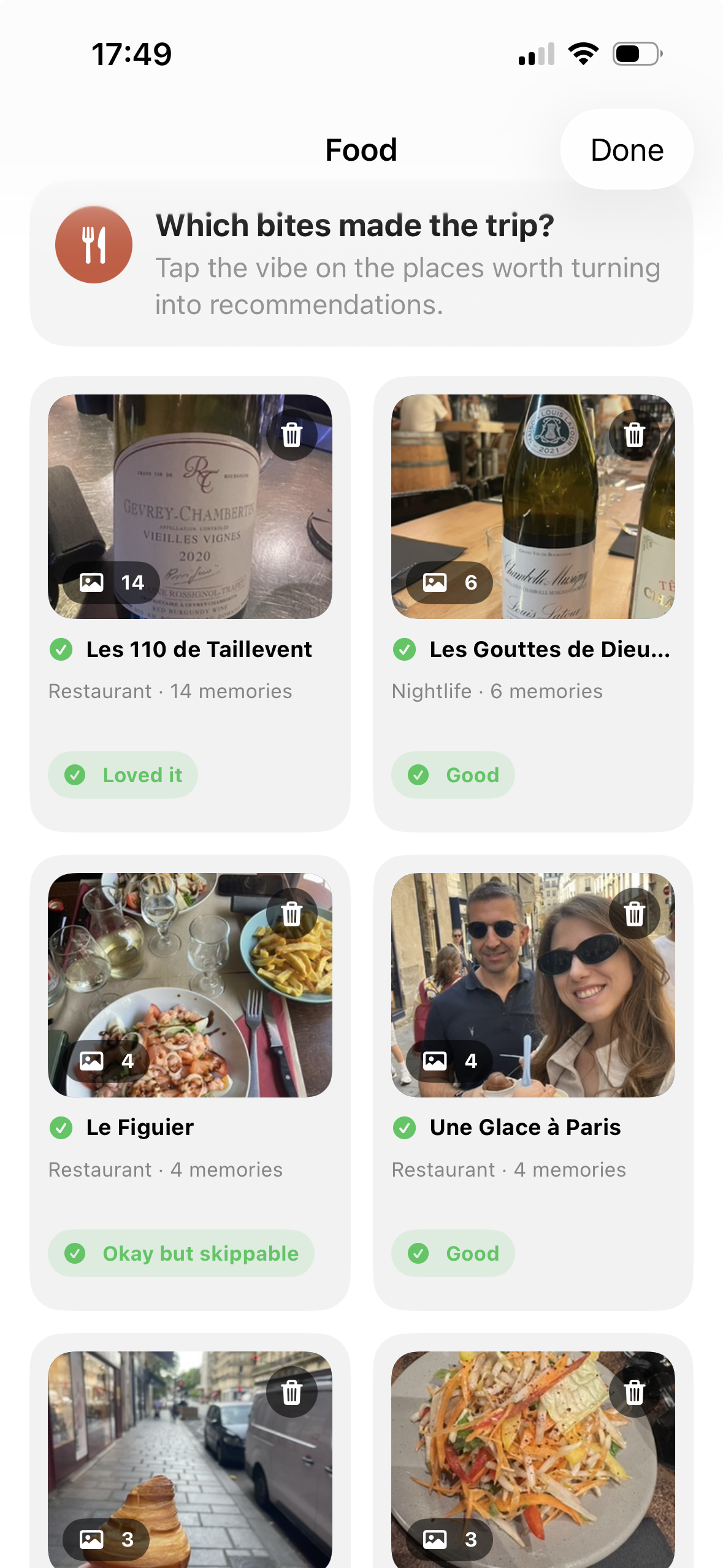
Food Memories
PinPassport groups food memories from your trip photos using on-device vision analysis. The user then selects place names, rates the experience, and adds favorite food memories to the trip story.
Food Memories analysis runs on device. Photos and vision analysis outputs do not leave your phone.
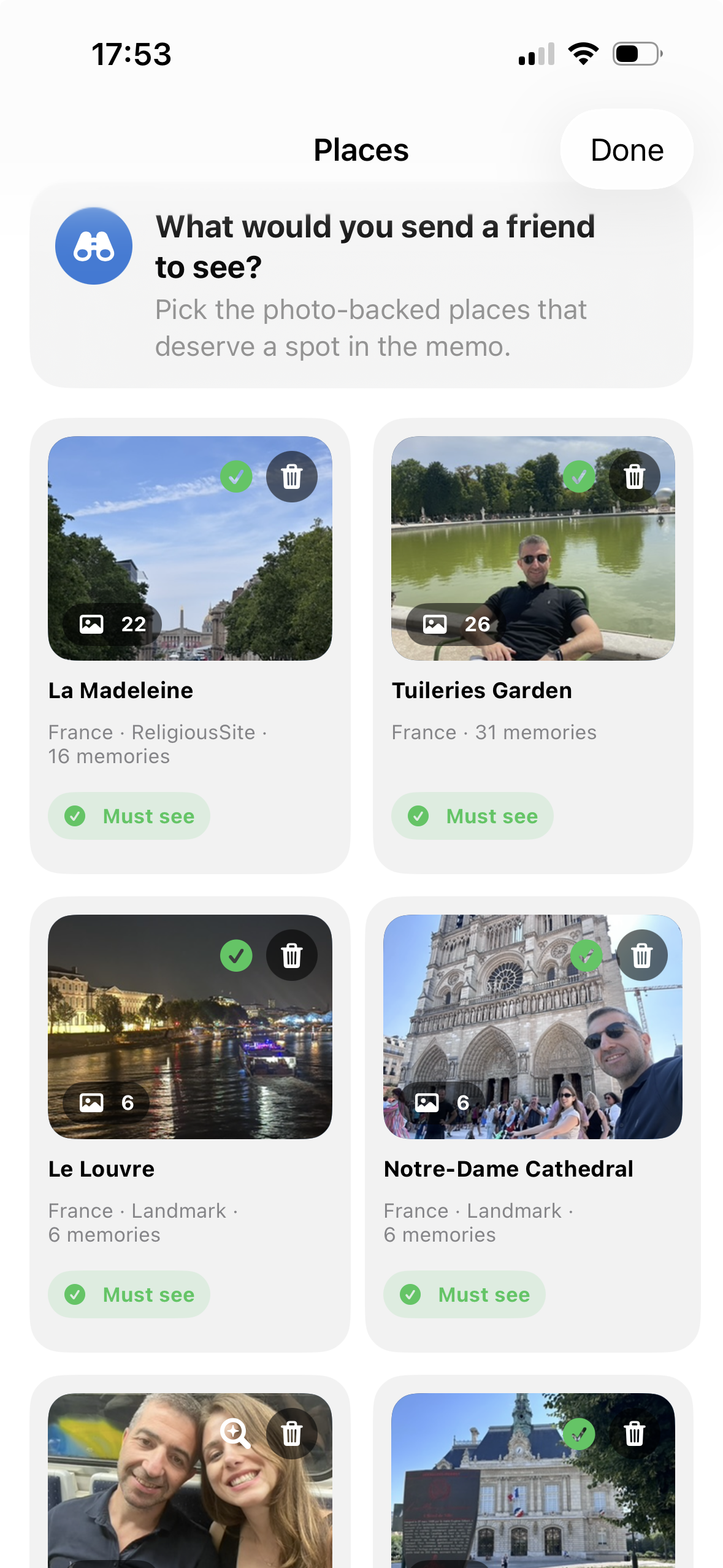
Sightseeing Memories
PinPassport analyzes your trip photos on device to identify places and sightseeing moments. The user selects place names, adds ratings, and brings the most important stops into the trip story.
Sightseeing Memories analysis runs on device. Vision cluster data is not shared with remote services or AI.
More features
PinPassport enriches detected trips with weather, activity, walking, energy, trip rating, and friend/global traveler rankings.
Average temperature, rainy days, warmest/coldest days, and country-level weather stories become visible.
Walking distance, footsteps, and energy summaries can appear inside the trip card.
The user can rate the trip experience; this can inform AI Travel Memo and personal story summaries.
Compare country, city, trip, and discovery counts with friends while controlling social visibility.
Appear in broader rankings if your profile is public, or stay anonymous when private.
AI Travel Memo and Memo Buddy help you remember your travel past through safe summaries.
AI Travel Memo
When Food Memories, Sightseeing Memories, route summary, user ratings, and added hotel details are rich enough, PinPassport creates an editable AI Travel Memo. The user can share it as is or edit it freely.
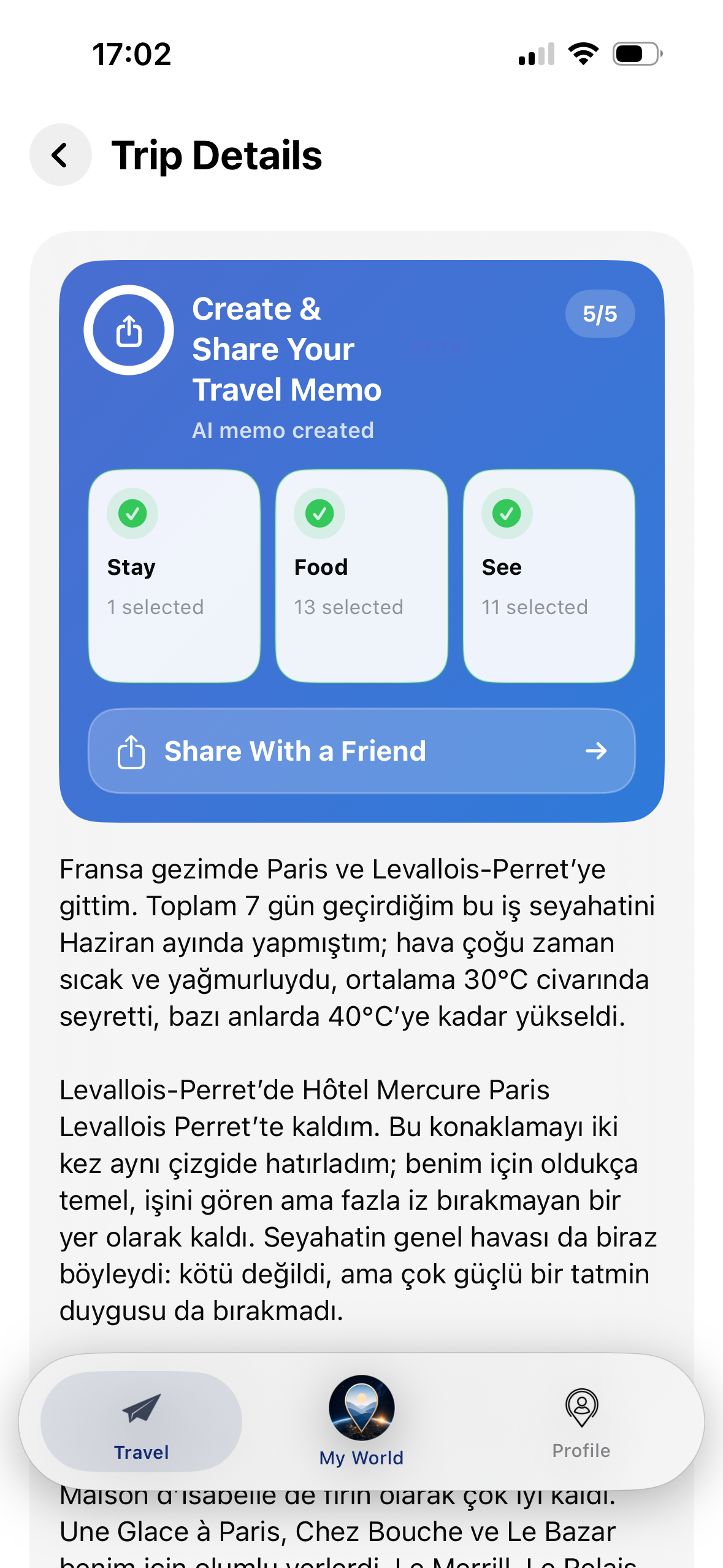
Travel Memo Buddy
When you want to remember where you stayed, which cities you visited, where you walked the most, or which food memories stood out on a past trip, Memo Buddy helps using your safe trip summaries.
Privacy by design
PinPassport does not upload photos. Photo metadata, GPS data, and vision analysis outputs are not sent to remote services either. Remote sync is used only for computed summary data such as country count, city count, and trip count.
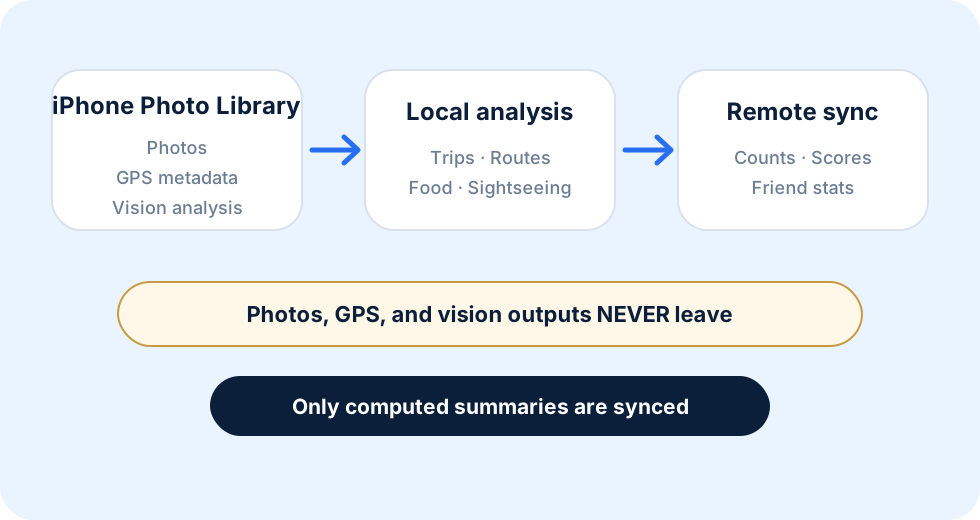
Photos · GPS metadata · Vision analysis
Photos, GPS, and vision outputs NEVER leave
Only counts, scores, and friend stats are synced
Beta access
The TestFlight link may temporarily appear closed on Apple’s side during App Review or when the beta is full. Leave your email and we will notify you when new slots open.
FAQ
Friends & Leaderboards
Make travel social while staying in control.
Compare country, city, and trip counts with friends, and share your travel memory with the people you choose.